
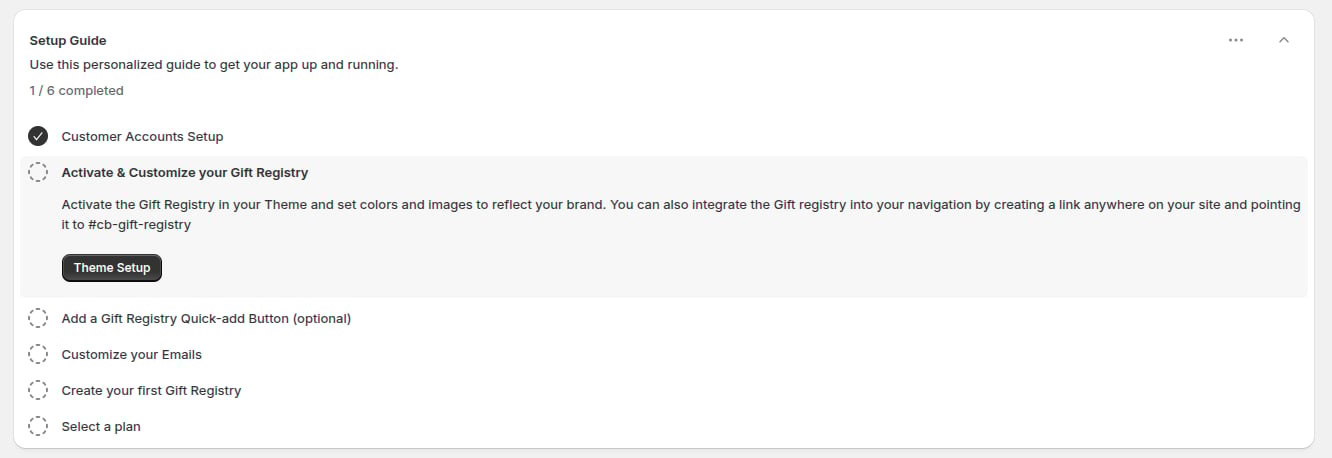
1
Make sure customers can sign in
Registry owners need a customer account to create and manage registries. In your Shopify admin, go to Settings → Customer accounts and make sure customers can sign in to your store.Visitors who are not signed in can still find registries and buy gifts.
2
Turn on the app embed
In Online Store → Themes → Customize → App embeds, switch on Gift Card Registry Widget and click Save. See Turn on the app embed.
3
Add the Add to Registry button (optional)
Add the Registry Add Button block to your product page so customers can add a product to their registry from there. See Add to Registry button.Buttons on product cards in collections and search results are added automatically when the app embed is on.
4
Customize your emails
In the app, open Settings → Customer Notifications to choose which emails are sent. See Email notifications.
5
Create a test registry
Open your storefront, sign in as a customer, click the Registry button and choose Create a Registry. See Creating a registry.
6
Select a plan
Open Billing in the app and click Select on a plan. See Plans and billing.
Optional next steps
- Add a full registry page to your store.
- Add registry links to your menu.
- Match the colours and banner to your brand.
- Add a Back to the registry button on the Thank you page.